Smartr Contacts is a handy address book for Android users that not only keeps a detailed record of all your phone contacts but extends its support to your mail contacts and friends on various social networks with whom you’ve interacted in any way. With this app, you can scan your phone for numbers, contacts and email addresses and upload them to the cloud, sync your contacts (and events) from almost all the popular online services, view detailed interaction history with each contact (complete with bar graphs!), access their social profile pages, call, text and/or Email them and bring all your contacts to one platform for quick and easy access. In addition, the app sports a homescreen widget that serves as a shortcut to the app and some of its features.
The guys at Xobni (the developers of Smartr Contacts app and Outlook app for BlackBerry) seem to be quite upbeat about the capabilities of the app to sync and save all the aforementioned information for over a thousand contacts at a given instance. The claim alone is compelling enough to lure users towards trying the app out. But that’s not all Smartr Contacts has to offer. As of now, accounts/services that are supported on Smartr Contacts include Gmail, Google Apps and Outlook, Facebook, Twitter and LinkedIn.
But to access all this (and more), you need to login with a valid Xobni account. New users can avail the in-app registration facility by tapping the Create An account button. After you’re logged in, the app prompts you to select accounts from aforementioned services. Once you’ve picked all the preferred services to sync contacts with, you can specify the app to retrieve data from your phone logs, text messages and/or calendar events to help Smartr Contacts become a complete address book.
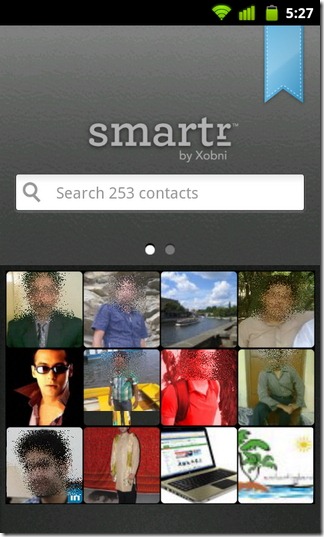
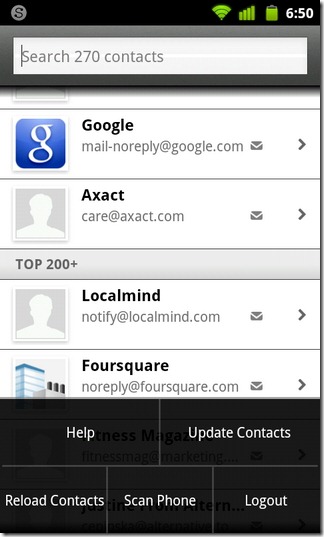
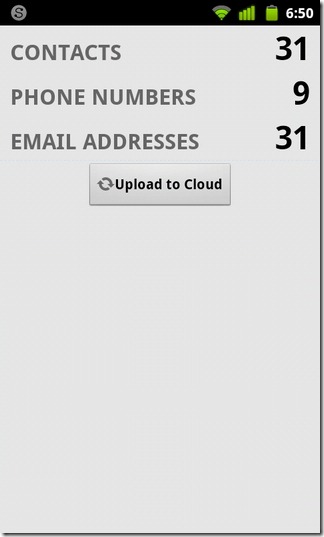
The app’s homescreen has a pleasant sight to offer with the profile photos of all your contacts displayed on tiles. Here’s the best part though, just give your device a shake to flip these tiles and replace them with new contacts. Tiles are flipped automatically even if your device is on rest (with the app’s homescreen open). Swiping across on the homescreen takes you to the events page. Also on the homescreen, you have your search bar. Tap on the search bar to manually find contacts and view them listed according to their rank (sorted by top 10, 20, 40 and even more). From the search screen, you can manually update and reload contacts, scan your phone to upload data to the cloud and more (just tap Menu to access all said features).
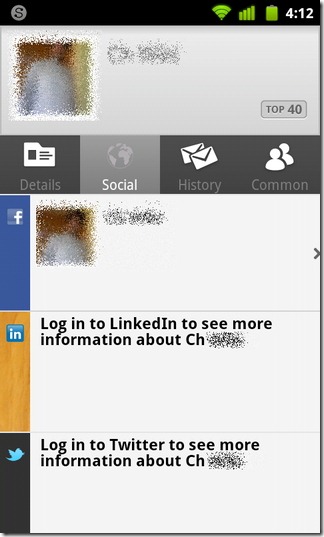
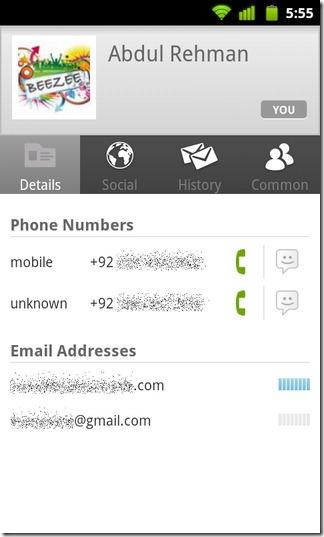
The app fetches any information attached to the synced contacts on your phone as well as from supported services and displays it on the contacts page under various tabs namely Details, Social, History and Common.
The Details tab shows you where the app ranks each contact on the address book (based on the frequency of your interaction with the contact). It contains all the phone numbers and Email profiles associated with each contact. From here, you can edit/update contact information (Menu > required option). Tapping on an Email address lets you send mails to the selected contact. You can also forward the same mail to multiple addresses. All you need to do is pick another recipient by tapping on his/her name. Once all recipients are selected, tap Next to send the mail.
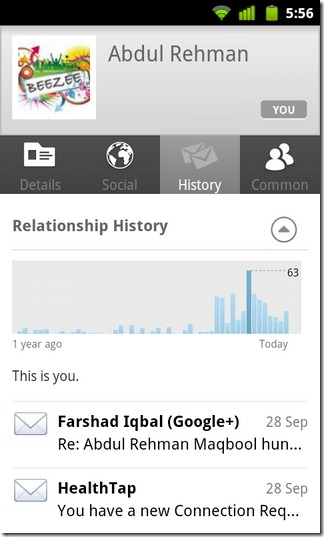
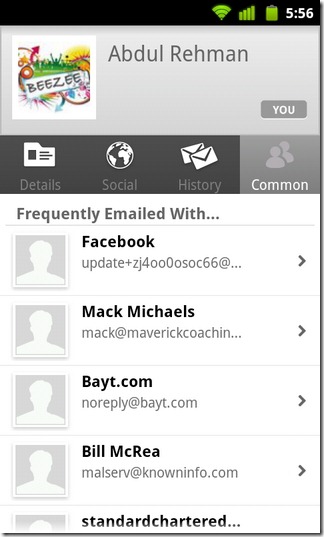
From the Social tab, you can access social profiles of contacts and view their recent activities on supported services. The History tab is tightly knit with your Emails, call history and texting habits and displays in-depth statistical data complete with bar graphs of all your interactions with a particular contact. The Common tab lists out all Email accounts that you’ve used for sending mails to a selected contact.
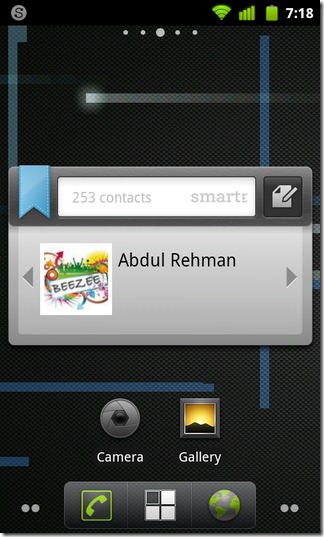
The app keeps you apprised of all the updates made to any of your contacts through status bar notifications. It also offers a couple of homescreen widgets (in different sizes) that can be availed to browse contacts, view the total number of contacts, search for a required contact and quickly send an Email to him/her. To add Smartr Contacts widgets, tap on a vacant spot on your homescreen and select Widgets > Smartr from the Add to home screen menu.
Below is the official Smartr demo video that shows what the app has in store for you.
The guys at Xobni (the developers of Smartr Contacts app and Outlook app for BlackBerry) seem to be quite upbeat about the capabilities of the app to sync and save all the aforementioned information for over a thousand contacts at a given instance. The claim alone is compelling enough to lure users towards trying the app out. But that’s not all Smartr Contacts has to offer. As of now, accounts/services that are supported on Smartr Contacts include Gmail, Google Apps and Outlook, Facebook, Twitter and LinkedIn.
But to access all this (and more), you need to login with a valid Xobni account. New users can avail the in-app registration facility by tapping the Create An account button. After you’re logged in, the app prompts you to select accounts from aforementioned services. Once you’ve picked all the preferred services to sync contacts with, you can specify the app to retrieve data from your phone logs, text messages and/or calendar events to help Smartr Contacts become a complete address book.
The app’s homescreen has a pleasant sight to offer with the profile photos of all your contacts displayed on tiles. Here’s the best part though, just give your device a shake to flip these tiles and replace them with new contacts. Tiles are flipped automatically even if your device is on rest (with the app’s homescreen open). Swiping across on the homescreen takes you to the events page. Also on the homescreen, you have your search bar. Tap on the search bar to manually find contacts and view them listed according to their rank (sorted by top 10, 20, 40 and even more). From the search screen, you can manually update and reload contacts, scan your phone to upload data to the cloud and more (just tap Menu to access all said features).
The app fetches any information attached to the synced contacts on your phone as well as from supported services and displays it on the contacts page under various tabs namely Details, Social, History and Common.
The Details tab shows you where the app ranks each contact on the address book (based on the frequency of your interaction with the contact). It contains all the phone numbers and Email profiles associated with each contact. From here, you can edit/update contact information (Menu > required option). Tapping on an Email address lets you send mails to the selected contact. You can also forward the same mail to multiple addresses. All you need to do is pick another recipient by tapping on his/her name. Once all recipients are selected, tap Next to send the mail.
From the Social tab, you can access social profiles of contacts and view their recent activities on supported services. The History tab is tightly knit with your Emails, call history and texting habits and displays in-depth statistical data complete with bar graphs of all your interactions with a particular contact. The Common tab lists out all Email accounts that you’ve used for sending mails to a selected contact.
The app keeps you apprised of all the updates made to any of your contacts through status bar notifications. It also offers a couple of homescreen widgets (in different sizes) that can be availed to browse contacts, view the total number of contacts, search for a required contact and quickly send an Email to him/her. To add Smartr Contacts widgets, tap on a vacant spot on your homescreen and select Widgets > Smartr from the Add to home screen menu.
Below is the official Smartr demo video that shows what the app has in store for you.
We tested Smartr Contacts on our HTC Desire Z with just a handful of contacts. Provided the somewhat slow response of the app, occasional Force Close issues and its inability to retain connection with the server, one can hardly expect Smartr Contacts to pose any immediate threat to some of the other handy contacts management apps out there (especially GO Contacts).
However, the the app is still in beta and so it is normal for it to have a few glitches here and there.
Download Smartr Contacts (Beta) for Android